Aws Ecs & Eks

Before we talk about ECS, we need to understand what id Docker and what were its limitations.
So Docker is basically a platform for containerization, and when there is multiple pods or container are running , then we need a way to handle the workload , which is called as orchestration. When we talk about docker, docker swarn is a way to orchestrate, but there are few limitation
Auto Scaling
Self healing
Even though, if we keep a monitoring setup and while the container is dead or if there is issue with pods/container, we recreate a new container, still there will be down time. Becasue , the new pods/container that is created will have different IP Address, which, will cause the down time in application
📦 Here comes the concept of Kubernetes, which is most famous container orchestration tool in Devops landscape, where kubernestes was solving so many limitation which Docker was not able to solve
Auto Scalling , HPA
Self Healing, if pods dies then a new pods/container is recreated without any intervention
Kubernetes have Concept of serviceType (NodePort, Load Balance,ClusterIP, Externalname) which is not actually depends on IP Address of Pods/container that is created just now, so there will not be any down time
Unlike, Docker , Kubernetes can control the amount of resources, Pods/container are going to use.
Ingress controller that help in networking
CRD
🕵️♂️ But, AWS saw a opportunity and created a service called as ECS( Elastic Container Service) , which is less complex solution in comparison to Kubernetes, and solves the problem of Kubernetes, but not upto the mark.
🔓 ECS, solves the Basic problem of Docker LIke Auto scaling, Healing, Networking, however as this is AWS exclusive service , there comes a new Set of restriction
ECS can only be used with AWS, its not an open source project, so if your workload is in AWS we can use ECS.
In future , if we want to more the workload from ECS to Azure or GCP, then we really need to think about it as everything is designed as per AWS -ECS , and now migration it to different cloud comes will a lot of challenge and downtime.
🔓 However there were some Benefits of ECS :
While creating cluster you can use Lambda or Fragate or EC2 instances.
Not only they can be used manages service , they can be deployed on Simple EC2 instance , that in turn can help you for cost optimization.
🔔 ONE Important Point in terms of ECS is that its const effective, as compared to Kubernetes, alot of pre defined workload is running in K8s but nothing in ECS
ECS, implementation is very simple we use “Task Definition” that “RUN” the “Task” as “Container”
Below is an Practical implementation of ECS
Step1 ) ECR Repo, image is present

Step 2 ) Create cluster
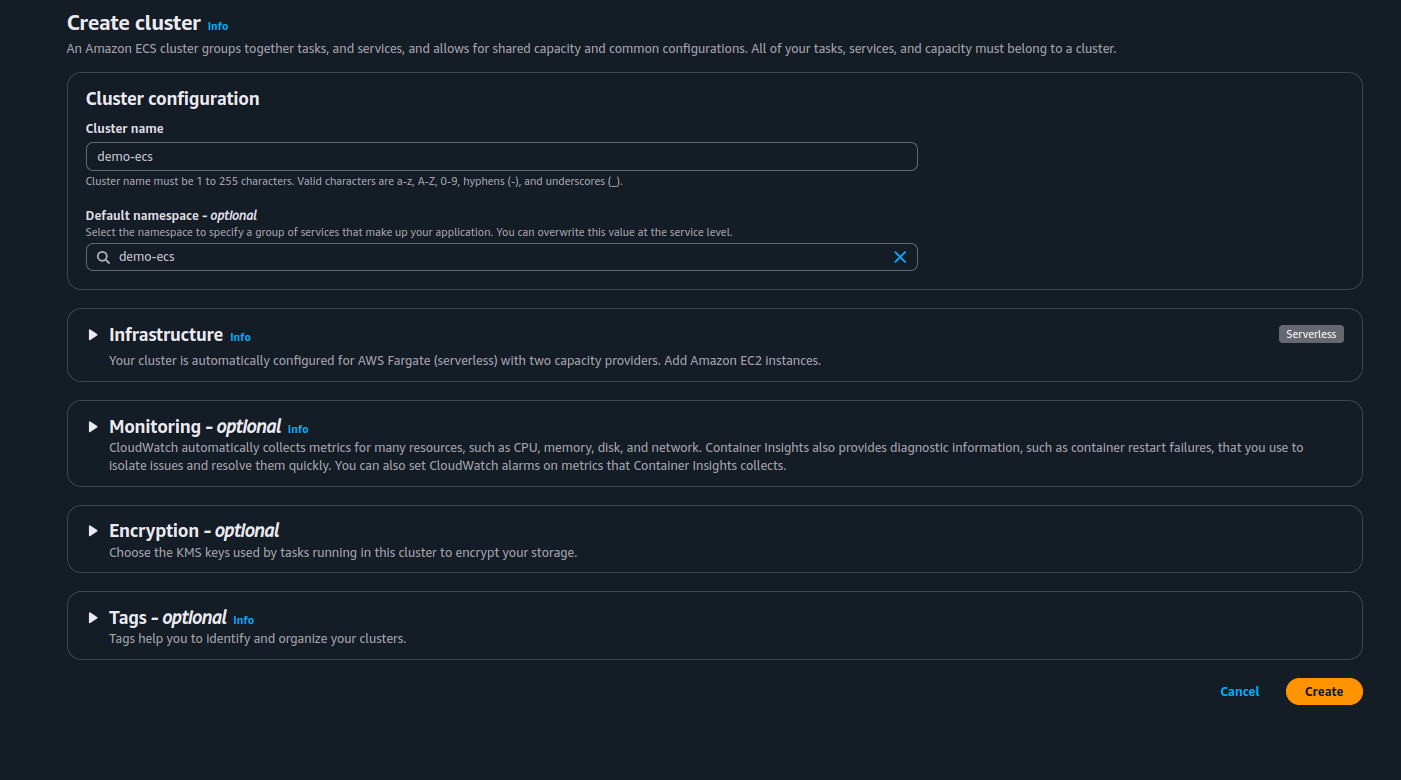
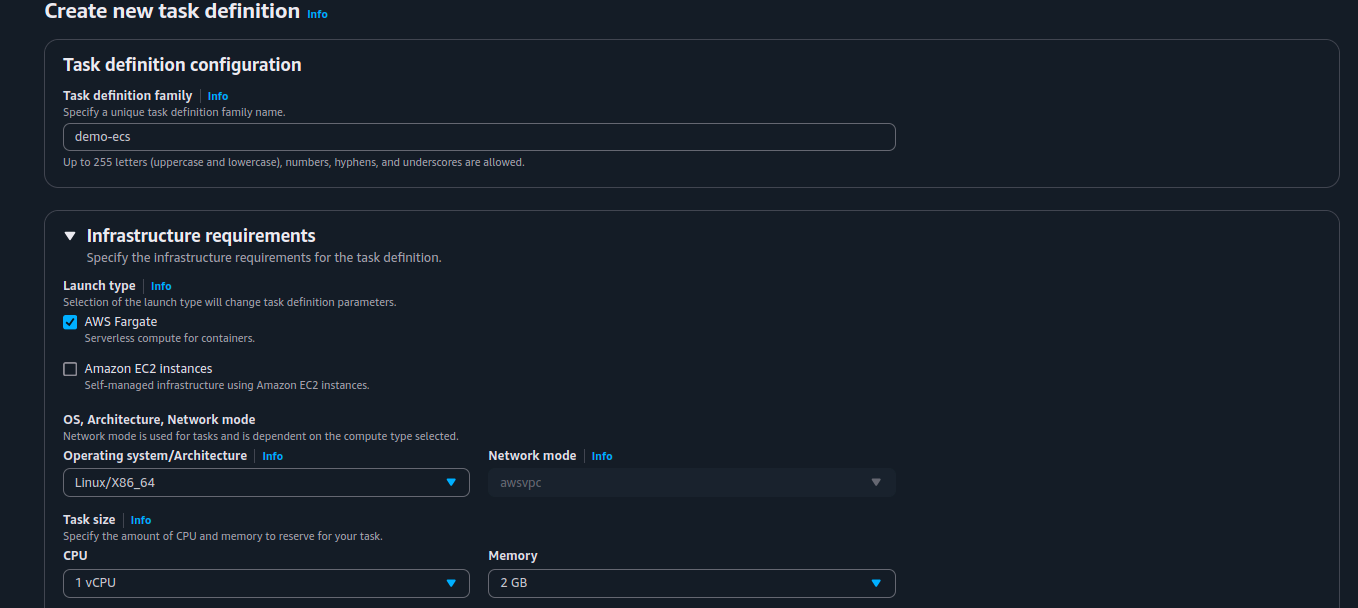
step3 )Once the cluster is created we will create a task definition
Task definition - > create new task
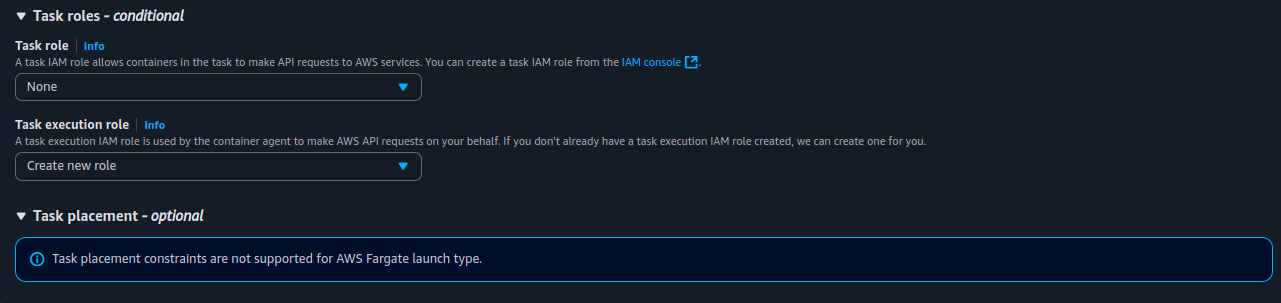
Task Roles: A task IAM role allows containers in the task to make API requests to AWS services. You can create a task IAM role from the IAM console .
Task execution roleInfo
A task execution IAM role is used by the container agent to make AWS API requests on your behalf. If you don't already have a task execution IAM role created, we can create one for you.
We want to integrate it with Cloud Watch, that why we are creating new roles in it, so that if any container fails, we can see the logs
Step 5)
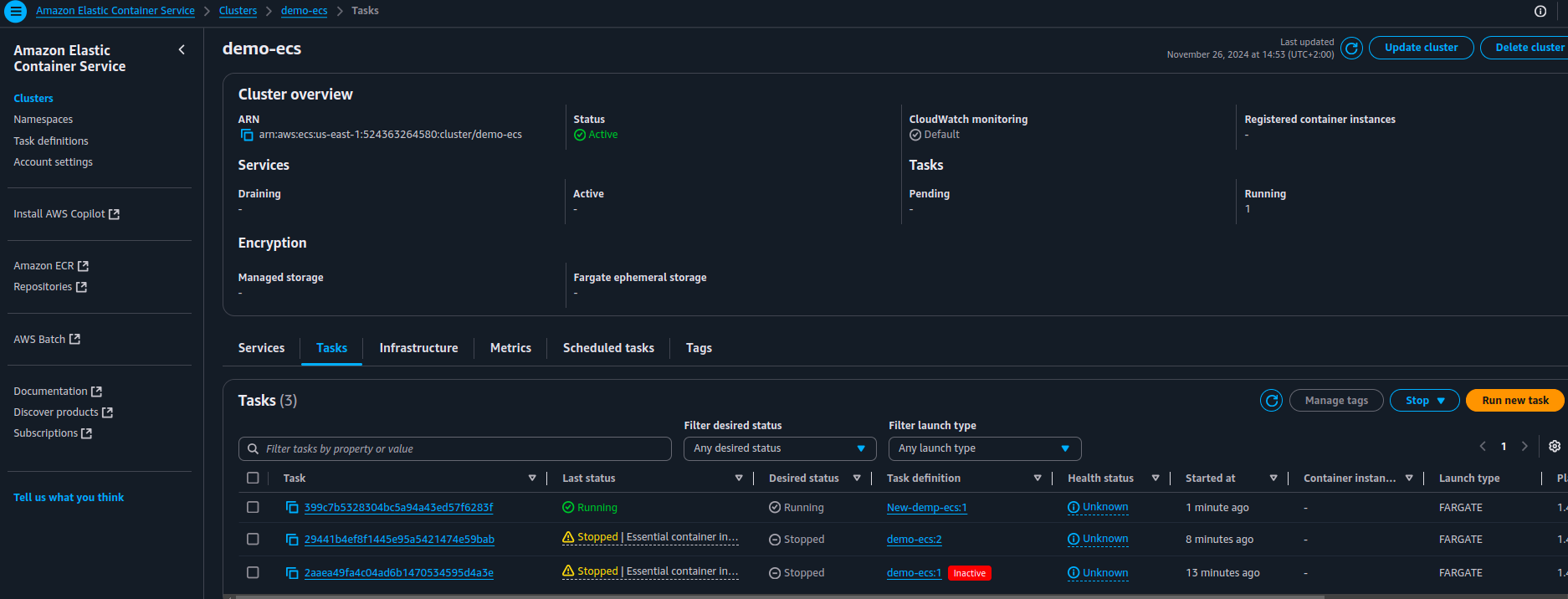
Once Task definition is crated then Go to Task → Deploy → Run Task → Keep the default Setting as it is
“BASICALLY TASK DEFINITION IS VERY SIMILAR TO POD.YAML IN KUBERNETES, AND THIS IS WHAT WE ARE DEFINING HERE, TASK IS THE ONCE THAT WILL RUN OUR CONTIANER”
Once it is done, we can see the task is now running and our contianer is running statue